
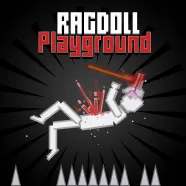
Ragdoll Playground: A chaotic world where you create all the crazy moments
Ragdoll Playground is a physics-based sandbox where creativity and chaos meet. Here, you can experiment with the wildest scenarios, from launching ragdoll characters into the air and triggering massive explosions to building unbelievable battle scenes. Everything is under your control, one click can create a storm of fun!
Start creating and enjoy the explosive chaos in your own way!
Explore the interface and maps
- Abyss: A deep, dark space, perfect for free-fall experiments.
- Blocks: An area with building blocks; ideal for construction and collisions.
- Default: A basic map, balanced in space and height.
- Humongous: Extra-large space for massive-scale experiments.
- Hybrid: A combination of multiple environments, creating unique physics reactions.
- Lava: A hot lava area where objects can catch fire!
- Sea: A realistic water environment; drop ragdolls or objects to float or sink depending on weight.
- Slanted: A sloped map, allowing objects to slide or roll naturally.
- Snow: A snowy area; gentle but full of physics challenges.
- Tiny, Small, Tower, Void: Special maps for small-scale experiments or endless falling effects.
How to play
Spawn objects and characters:
- Use E or Q to spawn items like ragdoll characters, vehicles, weapons, or random objects.
Drag, rotate, and control:
- Hold the left mouse button to drag objects.
- Use A or D to rotate objects in the desired direction.
Activate and create effects:
- Press F to trigger object functions (e.g., explosions, shooting, glowing...).
- Combine multiple objects to create spectacular chain reactions.
Clear and reset the playground:
- Right mouse button: Delete objects.
- Middle mouse button: Move the camera view.
- The “Clear Everything” button removes all items on the map with one click.